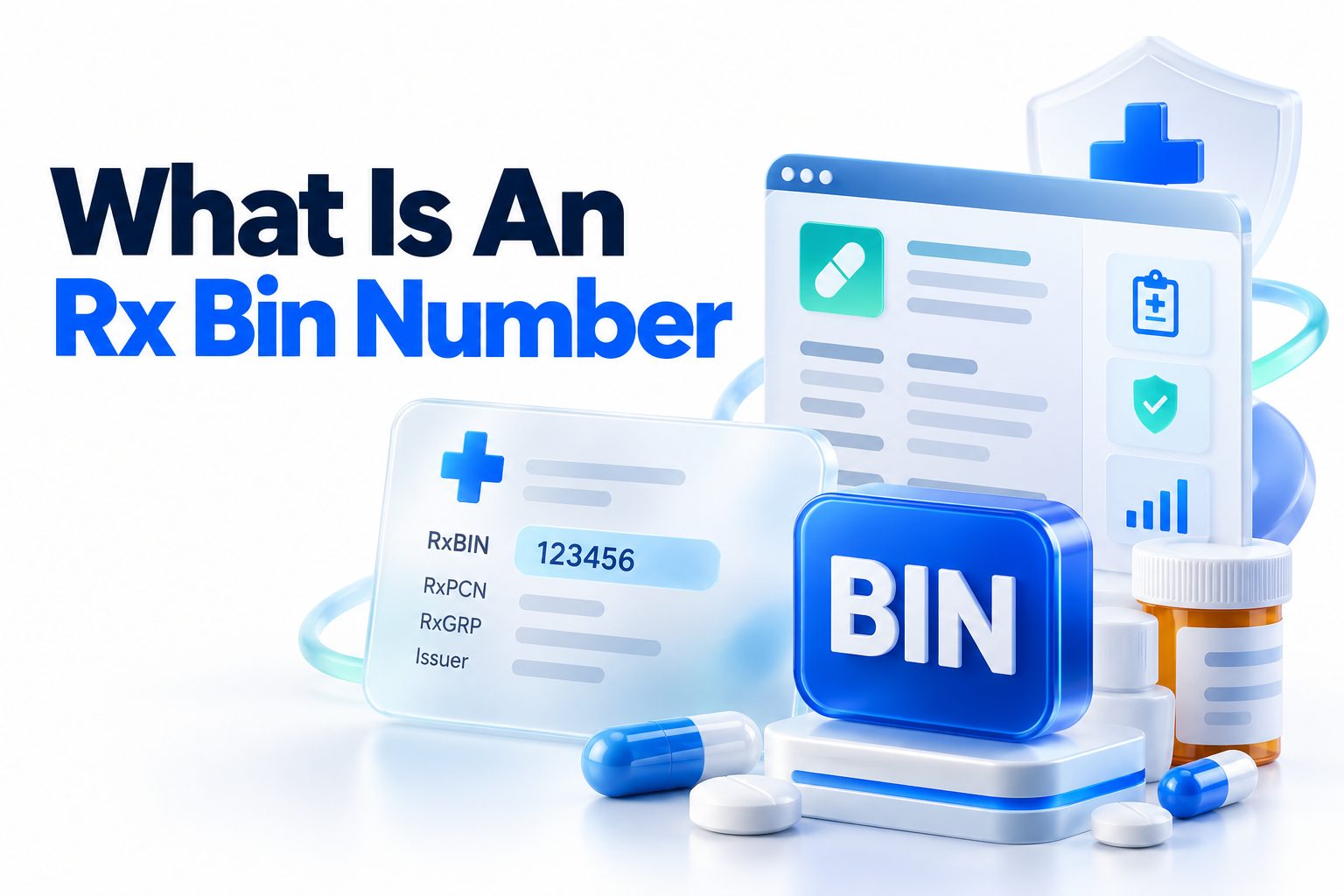
When you fill a prescription, your pharmacist needs specific information to process your prescription drug benefits. One of the most important details on your insurance card is the Rx BIN number. This six-digit number helps route your pharmacy claim to the correct prescription benefit manager, insurer, or claims processor.
An Rx BIN number is not the same as your member ID, group number, or copay amount. Each number serves a different purpose, and confusing them can cause delays at the pharmacy. In most cases, the pharmacist enters the Rx BIN along with other details from your insurance card to check coverage, calculate your cost, and submit the claim electronically.
This article explains what the number means, where to find it, how pharmacies use it, and what to do if a prescription claim is rejected. You will also learn how the Rx BIN differs from related insurance numbers and what information to provide when you use a new pharmacy or change prescription plans.
What an Rx BIN Number Means
An Rx BIN number is a six-digit identification number used to route prescription drug claims. The term BIN originally stood for Bank Identification Number because the system was adapted from banking technology. In pharmacy billing, BIN generally refers to a processor identification number rather than a bank account or payment card.
When a pharmacist submits a prescription claim, the Rx BIN directs that claim to the correct electronic processing network. The network then identifies where the claim should go for benefits verification and payment processing. This allows the pharmacy to determine whether your plan covers the medication and how much you owe.
The number usually appears on the prescription insurance section of your health insurance card. It may be labeled “Rx BIN,” “BIN,” or simply “BIN.” Some cards also list an Rx PCN and Rx Group number nearby. These details work together to identify your prescription benefit accurately.
The Rx BIN does not tell the pharmacist what medication you take, how much you earn, or whether a prescription is medically necessary. It is primarily a routing identifier. The insurer or pharmacy benefit manager uses the information connected to it to process the claim according to your plan’s rules.
Why Pharmacies Need This Number
Pharmacies use the Rx BIN to send a prescription claim to the correct processor. When you present your insurance card, the pharmacy enters the required information into its billing system. The system then sends an electronic request for coverage and pricing.
The response can show whether the prescription is covered, whether prior authorization is required, whether a generic alternative is preferred, and what portion of the cost is assigned to you. This usually happens within seconds, although unusual circumstances can require additional review.
Without the correct Rx BIN, the claim may be sent to the wrong processing network or fail before the pharmacy can determine your coverage. The pharmacist may see an error message such as “invalid BIN,” “member not found,” or “claim rejected.”
A wrong number does not necessarily mean you have no coverage. It may mean the pharmacy is using outdated information, the card belongs to a different plan, or the prescription benefit is administered separately from your medical insurance.
The Main Numbers on a Prescription Insurance Card
Prescription insurance cards often include several identifiers. Each one has a specific role, so providing the complete set helps the pharmacy process your claim correctly.
Rx BIN
The Rx BIN routes the claim to the appropriate prescription benefit processor. It is commonly six digits long and may be printed near the front or back of the card.
Rx PCN
The Rx PCN, or Processor Control Number, provides additional instructions for routing the claim. It helps distinguish between processing systems or benefit arrangements that may use the same or similar BIN.
Rx Group
The Rx Group number identifies the employer-sponsored plan, insurance group, or specific prescription benefit package. It may be listed as “RxGRP,” “Group,” or “Group Number.”
Member ID
The member ID identifies you as a covered person under the plan. It may include letters, numbers, or both. This is different from the Rx BIN, which identifies the processing route rather than the individual member.
Person Code
Some plans use a person code to identify whether the claim belongs to the subscriber, spouse, dependent, or another covered person. This information may be included in the member record instead of appearing clearly on the card.
A quick way to remember the difference is that the BIN and PCN help route the claim, while the member ID and group number connect the claim to your coverage.
Where to Find the Rx BIN
The most common place to find this number is on your health insurance card. Look for a section labeled prescription information, pharmacy benefits, or pharmacy network. The number may appear alongside the Rx PCN and Rx Group fields.
Your insurer’s mobile app or online member portal may also display your prescription benefit information. This is useful when your physical card is lost, damaged, or unavailable. Some insurers allow you to download a digital version of the card or request a replacement.
You can also call the customer service number printed on your insurance card. Ask the representative for your prescription benefit details, including the Rx BIN, Rx PCN, Rx Group number, and member ID. If your medical and pharmacy benefits are administered by different companies, the representative may direct you to a separate pharmacy benefit manager.
Check these locations when searching for your Rx BIN:
- The front or back of your insurance card
- A separate pharmacy benefit card
- Your insurer’s website
- Your health plan’s mobile application
- Prescription benefit enrollment documents
- The pharmacy benefits customer service department
How to Use the Number at a Pharmacy
In most situations, you do not need to calculate anything or enter the number yourself. Give the pharmacist your insurance card, and the pharmacy staff will enter the information into its billing system. If you have a digital card, show it on your phone or provide the details manually.
When filling a prescription for the first time under a new plan, tell the pharmacist that your insurance information has changed. This encourages the staff to verify the current plan instead of relying on an old profile.
If the pharmacy asks for information over the phone, read each number slowly. Distinguish between letters and numbers in your member ID, and confirm that the pharmacist has recorded the Rx BIN and Rx PCN correctly.
A typical pharmacy claim requires several pieces of
- Your full name and date of birth
- Insurance member ID
- Rx BIN
- Rx PCN
- Rx Group number, if applicable
- The name of the medication
- The prescribing provider’s information
- The pharmacy’s billing details
The pharmacy may already have some of this information on file, but it is still worth checking after an insurance change.
Rx BIN Compared With Other Insurance Numbers
The Rx BIN is often confused with other identifiers because they appear together on the same card. Knowing the difference can make it easier to resolve billing problems and communicate with your insurer.
The Rx BIN identifies the destination for a pharmacy claim. Your member ID identifies you. The group number identifies the plan or employer group. The Rx PCN provides more specific processing instructions. None of these numbers is the same as your medical deductible, copay, or policy number.
Medical insurance and prescription insurance may also use separate identification systems. A health plan can cover doctor visits through one administrator while using another company to manage prescription benefits. In that situation, the prescription card may contain different numbers from the medical insurance card.
For example, your medical card might show a plan ID and medical group number, while your pharmacy benefit card lists an Rx BIN, Rx PCN, and Rx Group. Both cards may relate to the same overall health coverage, but they serve different billing functions.
The following comparison can help:
Number: Rx BIN
Primary purpose: Routes prescription claims
Usually used by: Pharmacies and pharmacy benefit processors
Number: Rx PCN
Primary purpose: Adds routing instructions
Usually used by: Pharmacy claims systems
Number: Rx Group
Primary purpose: Identifies the prescription plan or group
Usually used by: Insurers and pharmacy benefit managers
Number: Member ID
Primary purpose: Identifies the covered individual
Usually used by: Medical and prescription claim systems
Number: Medical group number
Primary purpose: Identifies a medical insurance group or employer plan
Usually used by: Doctors, hospitals, and medical billing offices
What Happens When a Claim Is Submitted
When the pharmacist submits a claim, the pharmacy system sends your prescription and insurance details electronically to a claims processor. The processor checks the information against your plan and returns a response to the pharmacy.
The response may approve the claim with a specific copay, apply the cost to your deductible, or indicate that the medication is not covered. It may also request additional action, such as prior authorization, a quantity adjustment, or the use of a preferred pharmacy.
A rejected claim is not always a final denial. Some rejections are caused by a simple data entry error or a mismatch between your current coverage and the information stored in the pharmacy’s system. The pharmacist may be able to correct the issue immediately.
Other rejections require your prescriber or insurer to take action. For example, a medication may require prior authorization because the plan wants clinical information before approving coverage. In another case, the plan may cover the medication only after you try a lower-cost alternative.
Common Rx BIN and Pharmacy Billing Problems
Billing problems can happen when information changes or when a plan uses more than one prescription benefit arrangement. A new employer, insurance renewal, Medicare enrollment, or change in pharmacy benefit manager can all affect the information used for processing.
One common issue is an outdated insurance profile. The pharmacy may still have your previous card saved, even though your current plan has a new Rx BIN or group number. Ask the staff to update your insurance details and rebill the prescription.
Another problem occurs when a person presents a medical insurance card that does not include pharmacy benefits. The pharmacy may need a separate prescription card or a different set of numbers from the insurer.
A claim may also reject because the prescription was sent to the wrong pharmacy network. Some plans use preferred pharmacies, mail-order services, or specialty pharmacies. The prescription may be covered elsewhere even when the current pharmacy cannot process it.
Try these troubleshooting steps:
1. Confirm that the pharmacy has your current insurance card.
2. Check every digit of the Rx BIN, Rx PCN, member ID, and group number.
3. Ask whether your plan uses a separate pharmacy benefit manager.
4. Call the number on your card to confirm active prescription coverage.
5. Ask whether the medication requires prior authorization or step therapy.
6. Confirm that the prescription was written for the correct quantity and dosage.
7. Ask whether a generic or preferred alternative is covered.
8. Request the exact rejection message if the claim still fails.
When to Contact Your Insurance Company
Contact your insurance company or pharmacy benefit manager when the pharmacy cannot identify your plan, the claim is rejected repeatedly, or the amount charged seems inconsistent with your benefits.
Have your insurance card, prescription details, pharmacy name, and any rejection message available. The representative may ask for the medication’s name, strength, quantity, and National Drug Code. The pharmacy can often provide the exact rejection information.
Ask focused questions rather than simply asking why the prescription was rejected. For example, ask whether the drug is covered, whether your deductible applies, whether prior authorization is required, and whether another pharmacy is in network.
You may also need to contact your prescriber. The insurer might require medical documentation, a new prescription, a different quantity, or a trial of another medication. The pharmacy generally cannot override these clinical or plan requirements on its own.
Situations That Require Extra Attention
Some prescription coverage situations do not follow the standard process. Medicare Part D plans, Medicaid programs, employer benefits, discount cards, workers’ compensation plans, and specialty drug programs may use different billing arrangements.
People with Medicare may have more than one form of coverage. A Medicare Advantage plan with prescription benefits, a standalone Part D plan, or a supplemental arrangement can each have different pharmacy identifiers. Use the card associated with the prescription benefit being billed.
Discount cards are not the same as insurance. A discount card may offer a lower cash price, but it does not count toward your insurance deductible in the same way a covered claim might. Ask the pharmacist to compare the insurance price and discount price before choosing.
Manufacturer assistance programs and specialty pharmacies may also process prescriptions separately. In these cases, the program may provide its own identification details or direct the pharmacy to a particular processor.
Practical Tips for Managing Prescription Coverage
Keeping your prescription information organized can prevent delays, especially when traveling or seeing a new pharmacy. Save a photo of the front and back of your current insurance card in a secure location, and update it whenever your plan changes.
Do not assume that every number on an insurance card can be used interchangeably. A pharmacist needs the correct prescription identifiers, while a doctor’s office may need medical insurance information. Providing the wrong card can lead to unnecessary delays.
Review your pharmacy receipt after each claim. It may show whether the claim was processed through insurance, applied to your deductible, or paid using a discount program. If the price changes unexpectedly, ask the pharmacy to explain the reason before leaving.
Keep a list of your insurer’s pharmacy customer service number and your preferred pharmacy. This is especially useful if you need a refill while away from home or if your physical insurance card is unavailable.
A useful prescription coverage checklist includes:
- Current insurance card
- Digital copy of the card
- Rx BIN and Rx PCN
- Member ID and Rx Group number
- Insurer’s pharmacy help number
- Prescriber’s contact information
- List of current medications and allergies
- Preferred in-network pharmacy
When a Prescription Is Still Too Expensive
A correctly processed claim does not guarantee a low price. Your plan may place the medication on a high formulary tier, apply the cost to your deductible, or require coinsurance instead of a fixed copay.
Ask the pharmacist whether a generic version is available, but do not switch medications without speaking with your prescriber. A lower-cost option may require a new prescription or may not be clinically appropriate for your situation.
Your insurer can explain formulary alternatives, quantity limits, mail-order options, and in-network pharmacies. Your prescriber may also request a formulary exception if the preferred options are not suitable.
You can compare prices through your plan’s pharmacy directory, an approved mail-order service, or a licensed discount program. Make sure you understand whether the purchase will be billed to insurance or paid entirely out of pocket.
How to Protect Your Prescription Information
An Rx BIN alone usually does not provide access to your complete insurance account, but it is still part of your personal health and coverage information. Avoid posting a full insurance card publicly or sending card images through unsecured channels.
When sharing information with a pharmacy, doctor’s office, or insurer, use the organization’s official phone number, secure portal, or in-person process. Check that the recipient needs the complete card before sending both sides.
Store paper cards safely and shred expired cards if they contain personal identifiers. When your coverage ends, confirm that the pharmacy has removed outdated insurance information from your profile if necessary.
For more help organizing health-related records, see [Internal Link: how to organize medical documents].
Common Mistakes to Avoid
Many pharmacy billing delays come from small, correctable mistakes. Providing an old card, leaving out the Rx PCN, or reading a letter as a number can cause a claim to reject even when your coverage is active.
Another mistake is assuming the pharmacy should automatically know about a plan change. Employers and insurers may issue new cards, but the pharmacy will not always receive updated information before your next prescription.
Avoid paying the full cash price without asking what caused the rejection. If the claim can be corrected, the pharmacy may be able to rebill it. If you already paid, ask whether the pharmacy can submit the claim retroactively or explain the reimbursement process.
Keep these points in mind:
- Check your card after every insurance change.
- Give the pharmacy all prescription-related identifiers.
- Confirm whether your benefits are active.
- Ask for the exact rejection reason.
- Compare insurance and cash prices when appropriate.
- Do not change medications without medical advice.
- Contact the insurer when the pharmacy cannot resolve the issue.
Conclusion
An Rx BIN number is a six-digit identifier that routes a prescription claim to the correct pharmacy benefit processor. It works alongside the Rx PCN, Rx Group number, and member ID to verify coverage and calculate the price of a medication.
You can usually find the number on your health insurance card, pharmacy benefit card, insurer’s mobile app, or online member portal. When using a new pharmacy, provide the complete prescription insurance information rather than only your member ID.
If a claim is rejected, check whether the pharmacy has current information and ask for the exact error message. An outdated card, missing Rx PCN, inactive coverage, prior authorization requirement, or network restriction may be responsible. Your insurer, pharmacy benefit manager, pharmacist, or prescriber can help identify the next step.
The most practical takeaway is simple: keep your prescription card current, know where the relevant numbers are located, and verify the details whenever your insurance changes. Those habits can prevent avoidable delays and make prescription billing problems easier to resolve.
Frequently Asked Questions
What is an Rx BIN number used for?
An Rx BIN number routes a prescription claim to the correct pharmacy benefit processor. The pharmacy uses it with your member ID, Rx PCN, and group number to verify coverage and determine your prescription cost.
Is an Rx BIN the same as a member ID?
No. The Rx BIN identifies the claims processor, while the member ID identifies you as a covered person. Both numbers may be required to process a prescription through your insurance plan.
Where can I find my Rx BIN?
Look on the front or back of your insurance card near the prescription benefits information. You may also find it in your insurer’s online portal, mobile app, or pharmacy benefit customer service department.
Why was my prescription rejected with the correct Rx BIN?
A rejection can result from inactive coverage, an outdated member profile, prior authorization, a quantity limit, an out-of-network pharmacy, or a missing Rx PCN. Ask the pharmacist for the exact rejection message.
Can a pharmacy process a prescription without an Rx BIN?
Sometimes a pharmacy can locate your coverage using other information, but the Rx BIN is commonly required for electronic billing. If it is missing, contact your insurer or pharmacy benefit manager for the correct details.